
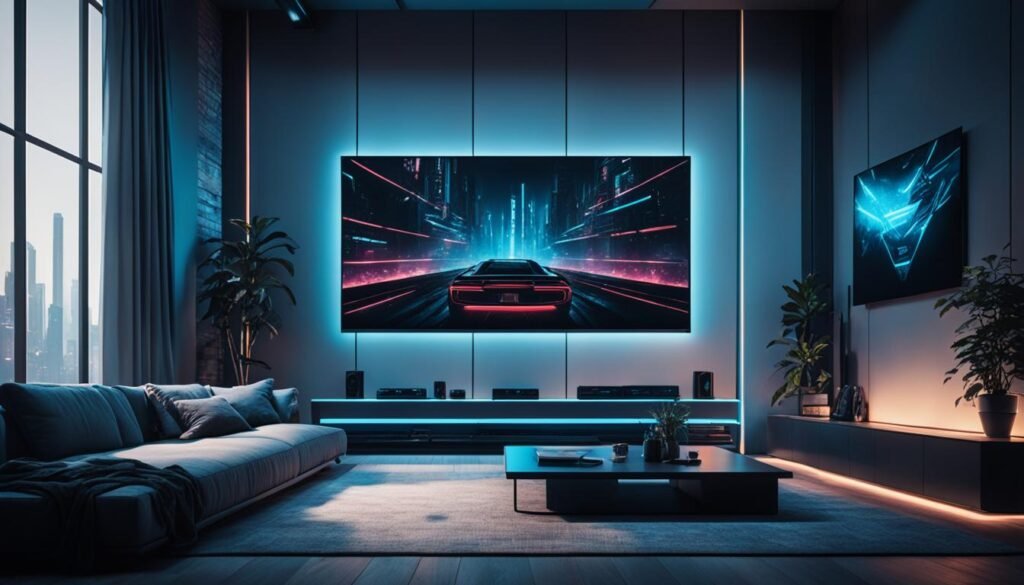

Complete Guide to Home Theater Installation Work: Planning, Setup, and Optimization
Creating a home theater can transform the way you enjoy movies, music, and gaming. But achieving the perfect setup requires careful planning, technical precision, and a good understanding of home theater installation work. This guide explains everything you need to know — from room design and wiring to calibration and maintenance — so you can enjoy professional-level results at home.
1. Introduction to Home Theater Installation
Home theater installation is more than just connecting a TV and speakers. It’s a comprehensive process that includes planning the layout, selecting compatible equipment, managing wiring, optimizing acoustics, and fine-tuning the system for the best sound and picture quality. Whether it’s a dedicated home cinema room or a multi-purpose living area, professional installation ensures a smooth and immersive entertainment experience.
With the rise of affordable projectors, soundbars, and smart devices, more homeowners are investing in home theaters. However, understanding the fundamentals of installation is key to making the most out of your investment.
2. Planning Your Home Theater Space
Before purchasing any equipment, proper planning is essential. The design phase involves evaluating the room’s size, lighting, furniture layout, and sound dynamics. Every element influences how your home theater will perform.
2.1 Room Dimensions and Layout
Room shape affects both sound and visual quality. Rectangular rooms are generally better for acoustics than square ones. Ideally, the main seating position should be centered and slightly away from the back wall to minimize echo and standing waves.
2.2 Lighting Control
Lighting plays a major role in creating a cinematic experience. Install dimmable lights, blackout curtains, or smart lighting systems to control brightness. Avoid direct light on the screen to reduce glare and maintain contrast.
2.3 Acoustic Considerations
Acoustic treatment helps improve sound clarity. Carpets, heavy drapes, and acoustic panels can minimize reflections and echoes. For serious enthusiasts, bass traps can balance low frequencies in larger rooms.
3. Choosing the Right Home Theater Equipment
Selecting the right combination of audio-visual components determines the performance of your setup. Here’s what to consider for each category:
3.1 Display Options
- Television (LED, OLED, QLED): Ideal for bright rooms and smaller spaces. OLED panels provide superior contrast.
- Projector and Screen: Perfect for larger rooms and cinematic viewing. Choose between short-throw and long-throw models based on your room length.
3.2 Audio Systems
- Soundbar: Simplified solution for smaller rooms with easy installation.
- 5.1 or 7.1 Surround Sound System: Offers immersive surround effects using multiple speakers and a subwoofer.
- Dolby Atmos System: Adds height channels for a 3D soundstage, enhancing realism.
3.3 Source Devices
Your content sources could include Blu-ray players, streaming devices, gaming consoles, or smart home systems. Ensure compatibility with 4K or 8K formats if supported by your display.
3.4 Receiver or Amplifier
The AV receiver is the heart of a home theater system, connecting all audio and video components. Look for models with HDMI 2.1 support, multiple input ports, and advanced calibration options.
4. Step-by-Step Home Theater Installation Process
4.1 Pre-Installation Preparation
Start by measuring your room and finalizing where each component will be placed. Pre-plan wiring routes and ensure access to power outlets. If possible, conceal cables within walls or conduits for a clean finish.
4.2 Wiring and Connectivity
Wiring is a critical part of home theater installation. Use high-quality HDMI cables, speaker wires, and power surge protectors. Label each cable for easier troubleshooting later. Consider installing conduits if you plan to upgrade equipment in the future.
4.3 Speaker Placement
Proper speaker positioning enhances surround sound realism. For a 5.1 system:
- Front left/right speakers should be ear-level and angled toward the listener.
- The center speaker goes below or above the screen.
- Rear surround speakers should be placed slightly behind the seating area.
- The subwoofer can be positioned near a corner to maximize low-frequency output.
4.4 Mounting the Display
Mounting height depends on screen size and seating distance. Ideally, the center of the screen should align with eye level when seated. Use wall mounts or ceiling brackets rated for your display’s weight.
4.5 Connecting and Configuring Devices
Connect your AV receiver, media devices, and display according to manufacturer guidelines. Turn on each component to confirm that signals are being properly transmitted. Use HDMI ARC or eARC connections for simplified audio routing.
4.6 Calibration
Calibration ensures that sound and visuals perform as intended. Many AV receivers include automatic calibration tools like Audyssey or YPAO, which adjust levels and delays using a microphone. Similarly, display calibration improves color accuracy and brightness balance.
5. Smart Integration and Automation
Modern home theaters often integrate with smart home systems for seamless control. Voice assistants like Alexa or Google Assistant can handle power, input switching, and volume adjustments. Universal remotes or mobile apps also make system control effortless.
5.1 Lighting Automation
Smart lighting can dim automatically when you start a movie. Integrate LED strips for ambient effects that react to on-screen visuals.
5.2 Climate and Soundproofing Integration
Automated temperature and ventilation control maintain comfort during long movie sessions. Soundproofing materials prevent noise leakage and enhance immersion without disturbing others.
6. Common Mistakes in Home Theater Installation
Even with careful planning, beginners can make errors that reduce performance. Some of the most common mistakes include:
- Improper speaker placement leading to weak surround effects.
- Ignoring acoustic treatment and causing echo or distortion.
- Using low-quality cables that degrade audio/video quality.
- Failing to calibrate the system after installation.
- Blocking ventilation around AV components, causing overheating.
By avoiding these issues, you can achieve a professional-grade setup even on a budget.
7. Professional Installation vs DIY Setup
While DIY installation is possible with basic technical knowledge, professional installers bring expertise, precision, and tools that ensure optimal results. Let’s compare the two approaches:
| Aspect | DIY Installation | Professional Installation |
|---|---|---|
| Cost | Lower upfront cost | Higher but includes expertise |
| Complexity | Limited to basic setups | Handles advanced wiring and acoustics |
| Quality | Depends on personal skill | Guaranteed calibrated performance |
| Maintenance | Self-managed | Often includes support and warranty |
If you have a large or complex setup involving in-wall wiring or custom cabinetry, hiring a certified installer can save time and ensure safety.
8. Maintenance and Upkeep
Regular maintenance keeps your home theater running efficiently for years. Clean dust from components, check connections periodically, and update firmware for AV receivers and smart devices.
8.1 Cleaning and Ventilation
Dust buildup can affect projector lenses, ventilation fans, and speaker grills. Use microfiber cloths and compressed air for gentle cleaning. Ensure proper airflow to prevent overheating of amplifiers and receivers.
8.2 Software Updates
Manufacturers frequently release updates for firmware and streaming devices to improve performance or fix bugs. Keeping your equipment updated ensures compatibility with new formats and content platforms.
8.3 Periodic Recalibration
Sound and picture settings can drift over time due to component aging or room changes. Recalibrate your system every six months for consistent performance.
9. Budgeting and Cost Estimation
The total cost of home theater installation varies widely based on equipment type and labor. Here’s a general breakdown:
- Basic setup: $1,000 – $3,000 (TV, soundbar, media device)
- Mid-range setup: $3,000 – $8,000 (projector, 5.1 system, seating, lighting)
- High-end setup: $10,000+ (Dolby Atmos system, acoustic treatment, automation)
For professional installations, labor charges can range between 10%–20% of the equipment cost depending on the complexity and wiring requirements.
10. Safety Considerations
Electrical safety and structural integrity should never be overlooked during installation. Always use surge protectors, grounded outlets, and certified mounts. Avoid overloading power sockets and ensure all components have adequate cooling space.
If you are drilling walls for cables or mounts, confirm there are no hidden electrical lines or plumbing pipes. Using professional assistance for in-wall installations is highly recommended.
11. Future-Proofing Your Home Theater
Technology evolves rapidly. To make your investment future-ready:
- Choose HDMI 2.1 and 8K-capable equipment.
- Opt for modular systems that allow adding more speakers or smart devices later.
- Use flexible conduits for easy cable replacement.
- Consider wireless audio solutions for scalability.
12. Conclusion
Home theater installation work combines creativity, technical know-how, and precision. From choosing the right equipment to calibrating sound and picture quality, every detail contributes to a premium viewing experience. Whether you do it yourself or hire professionals, investing in thoughtful planning and setup ensures that your home theater delivers entertainment exactly as intended — immersive, dynamic, and tailored to your space.
As technology continues to advance, integrating automation, 3D audio, and high-resolution displays will make home theaters even more captivating. With the right approach and maintenance, your personal cinema can be the ultimate place to relax and enjoy unforgettable entertainment moments.
Disclaimer: This article is for informational purposes only. Always follow manufacturer guidelines and consult licensed professionals for electrical and structural work.
© 2025 Home Theater Insights. All rights reserved.


